RenameClick Alternatives (2026): 5 AI Renamers Compared

Jump to section
RenameClick is a capable app. Its bundled local model means offline renaming works right after install. The reasons people look for an alternative are usually specific, so this guide starts with those.
Where RenameClick falls short
RenameClick renames images, documents, and audio (with local speech transcription), and its Auto Flow can rename and move new files. The free plan has unlimited analysis and 100 successful renames or moves a month. Pro is $8 plus VAT per month or $36 plus VAT lifetime; verify the live checkout.
Common reasons to look elsewhere:
- Video is not supported, and RAW photos and design files are not in its published format list.
- Recovery differs by workspace. Standard Rename keeps up to 10 undo entries in memory and clears them on restart; Auto Flow saves eligible applied records and supports Undo/Redo across restarts.
- The local model is a multi-gigabyte download that needs spare memory to run well.
- Naming control is format patterns, EXIF placeholders, and custom instructions rather than a structured pattern builder.
If none of those affect you, RenameClick may be the right tool already.
Price and free allowance
| Zush | RenameClick | |
|---|---|---|
| Monthly | $10 | $8 + VAT |
| Lifetime | $48 | $36 + VAT |
| Free allowance | 50 renames total, across all AI modes | 100 successful renames or moves each month |
Zush’s existing ZUSH25 promotion reduces its $48 lifetime price to $36 before applicable tax. That is a discounted price, not the regular price. BYOK provider charges are separate. See Zush pricing and RenameClick’s official pricing before buying.
Alternatives at a glance
| App | Price | Video / RAW / design | Undo | Local AI |
|---|---|---|---|---|
| Zush | $10/mo or $48 one-time | Yes / Yes / Yes | Full Rename History | Ollama, LM Studio |
| FilesDesk | $8/mo credits or $40 lifetime BYOK | Yes / not listed / not listed | Processing History | Ollama, vLLM |
| NameQuick | From $12/mo, $69 self-managed | Listed in 30+ formats / not listed / not listed | One-click undo | Ollama, LM Studio, MLX |
| Renamer.ai | $9.95 to $99.95/mo, metered | Not core / no / vectors only | One-click undo | No |
| AI Renamer | $19 local, $10 per 200 cloud credits | Not listed / no / no | Not documented | Yes |
1. Zush: broader formats and persistent history
Zush reads each file and proposes a descriptive name, then waits for you to approve the batch. It handles 100+ formats: photos including RAW and HEIC, PDFs and Office and iWork documents, PSD, Figma, Sketch and Illustrator files, 16 video formats, and audio.
The main differences from RenameClick:
- Rename History that persists. Every batch keeps original name, new name, folder, and time. Revert it next week, not just before you quit the app.
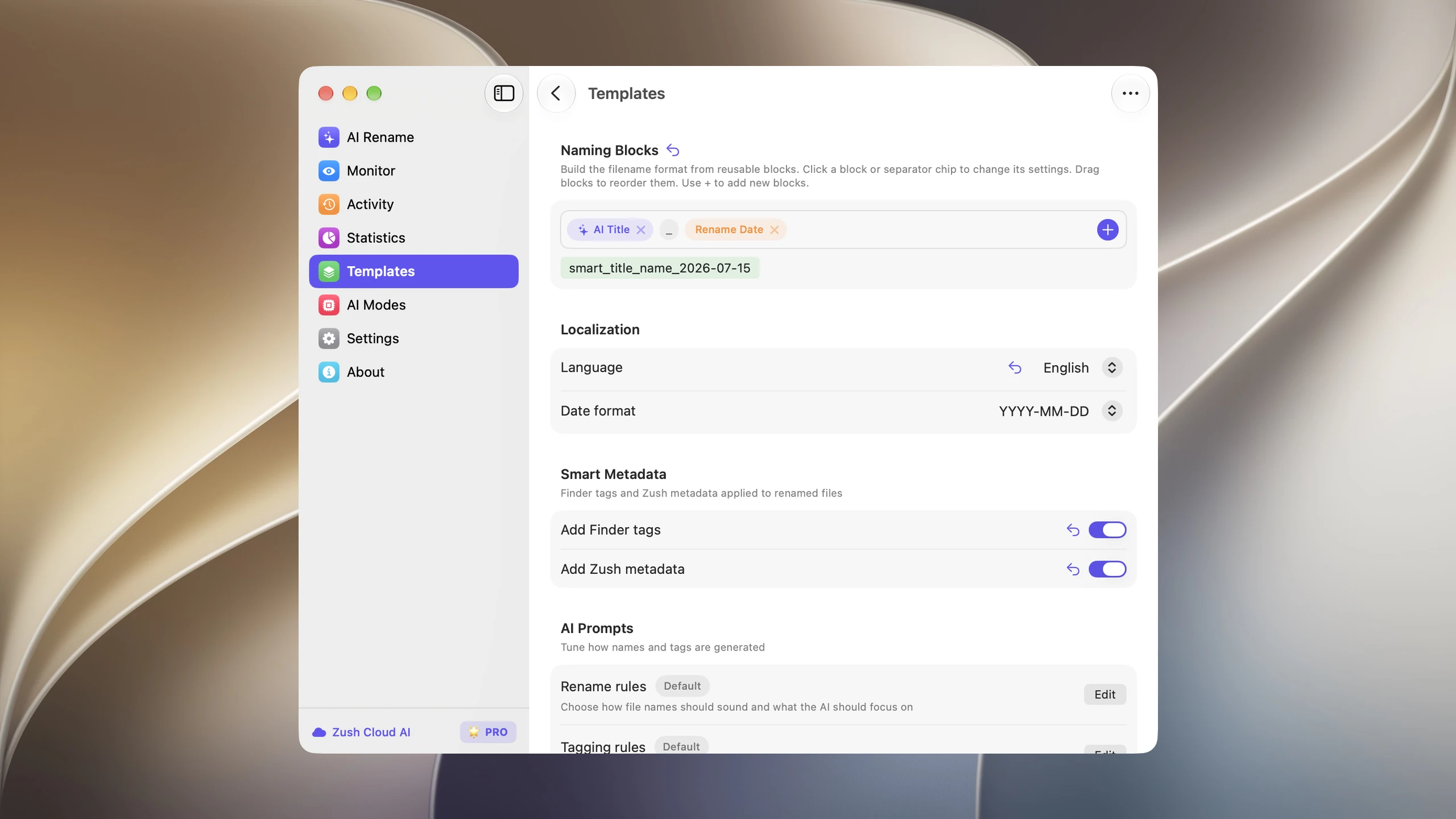
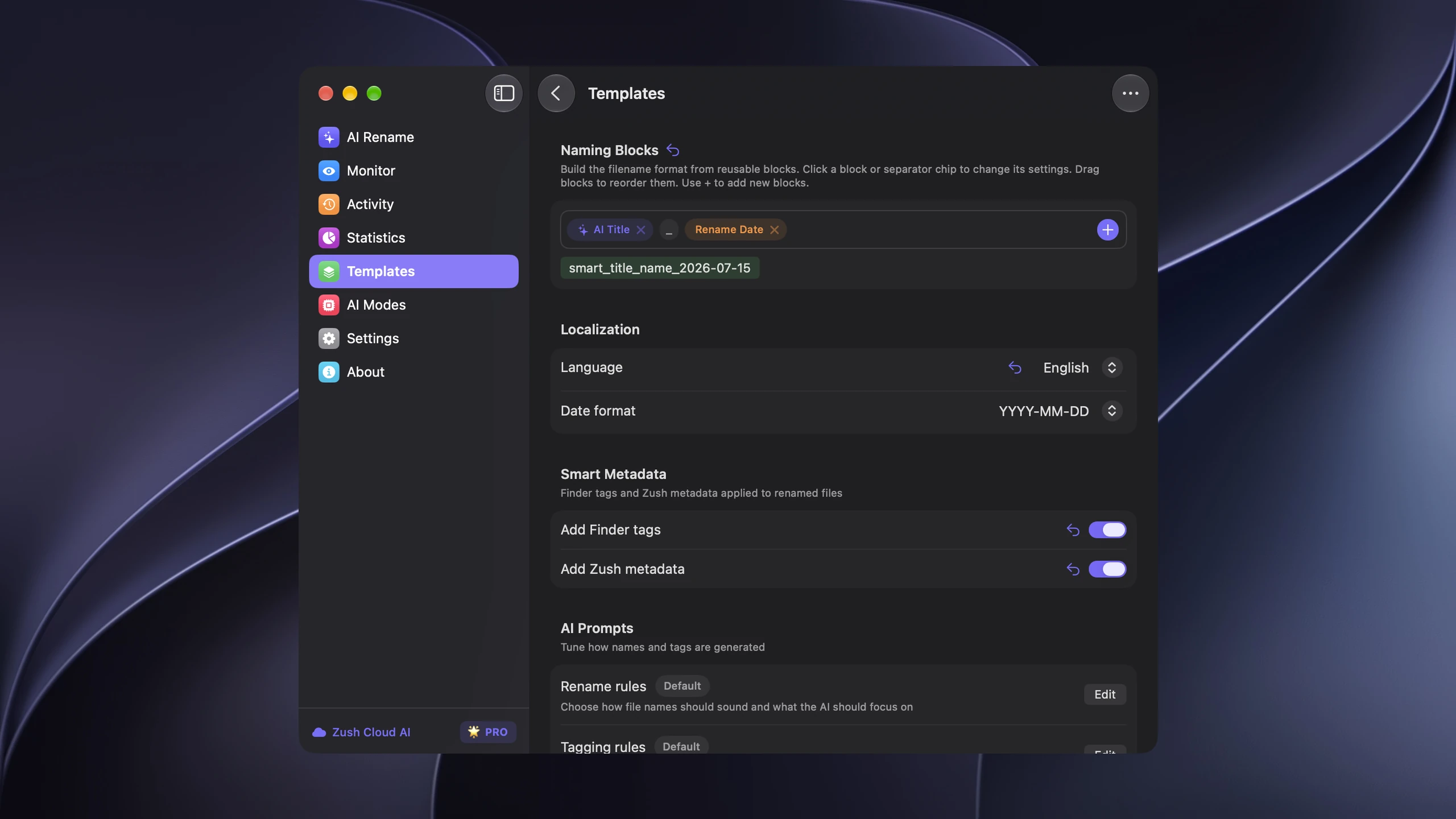
- A pattern you build. Ready-made Templates and 145+ Naming Blocks, including Custom AI Blocks, set the order, case, separators, and language of every name.
- Choice of AI. Zush Cloud AI works without setup. BYOK connects your own Gemini, OpenRouter, OpenAI, or Claude key. Ollama or LM Studio keep analysis on your machine.
- Optional AI folder sorting. Choose Auto grouping or write Folder rules such as “Group invoices by company and receipts by month.” Select a Destination folder and optionally Reuse existing folders; review names and folders before applying. Leave sorting off and keep the original destination to rename in place.
Save the grouping settings in a Template and assign it to Monitor for new files directly inside the watched folder. This does not reorganize already processed files. See AI folder sorting (beta).
RenameClick has a dedicated AI Search workspace for finding files by content; Zush relies on searchable names plus Finder tags and Spotlight metadata instead. Full comparison: Zush vs RenameClick.
2. FilesDesk: credits or bring your own key
FilesDesk charges 1 credit per filename suggestion: $8 a month for 500 or $20 for 2,000. The $40 lifetime plan is unmetered but needs your own API key or a local model. It supports images, documents, video, and audio, with Watch Folders and undo through Processing History.
Good if you already pay for an AI provider. See Zush vs FilesDesk.
3. NameQuick: rules after renaming
NameQuick adds conditional Rules that move, tag, or archive files once they are renamed. Managed plans start at $12 a month and meter renames; the $69 Self-Managed license is unmetered with your own key or local models.
Best for recurring PDFs, receipts, and contracts on a Mac. See Zush vs NameQuick.
4. Renamer.ai: document-first, subscription only
Renamer.ai facts rechecked October 5, 2026. Renamer.ai focuses on OCR-heavy documents and has desktop and web interfaces. Its v5 release adds downloadable local models, OpenAI/Gemini BYOK, and reusable folder structures. The published cloud plans have monthly allowances of 200, 1,000, or 5,000 files; separate Local/BYOK license limits need confirmation. Its public list does not document camera RAW, PSD, Sketch, or Figma. See Renamer.ai alternatives. Other vendor facts retain their September 30 review.
5. AI Renamer: simple and cheap
AI Renamer is a desktop app with a $19 one-time local mode or cloud credits at $10 per 200. It keeps things simple: custom prompts, common images and text documents. Folder monitoring and rename history are not documented. See Zush vs AI Renamer.
How to choose
- You rename video, RAW, or design files: Zush.
- You want persistent history for every manual rename batch, not only eligible Auto Flow records: Zush.
- You already pay for an API key: FilesDesk lifetime or Zush BYOK.
- You need files moved by rules after naming, on a Mac: NameQuick.
- You mainly rename scanned documents and prefer a web app: Renamer.ai.
- One-time purchase, basic needs: AI Renamer.
FAQ
Can Zush sort files into folders as well as rename them?
Yes. Its optional AI folder sorting is in beta on Mac and Windows. Choose Auto or write Folder rules, select the destination, and review both names and groups in a manual batch. A sorting-enabled Template can also process new files directly inside a monitored folder; it does not reorganize files already processed. Leave sorting off and keep the original destination for naming only.
What is the best RenameClick alternative?
Zush is the closest alternative: $48 one-time, Mac and Windows, plus video, RAW, and design file support, persistent Rename History, and a structured naming pattern builder.
Is RenameClick free?
Partly. RenameClick’s free plan currently includes unlimited analysis and 100 successful renames or moves per month. Zush includes 50 AI renames in total across all modes, with no monthly reset and no credit card.
Which RenameClick alternative works offline?
Zush works offline with Ollama or LM Studio on Mac and Windows. FilesDesk and NameQuick also support local models on their self-managed plans.
Can I use RenameClick and Zush together?
Yes, though most people pick one. Both rename by content and can sort files into folders. RenameClick adds a dedicated AI Search workspace; Zush combines optional folder sorting (beta), broader formats, persistent history, and structured filename control. Test the grouping settings on copies before automating either tool.


