Zush vs NameQuick: Price, BYOK, Mac vs Windows

Jump to section
Quick answer: choose Zush for reusable filenames built from 145+ Naming Blocks, documented RAW/design/media coverage, and unmetered paid renames at $10/month or $48 one-time. NameQuick also runs on Mac and Windows and offers conditional Rules, Quick Organize, inbox import, and content search. Its practical trade-offs are metered managed suggestions, expiring monthly allowance, and a one-computer Self-Managed license.
Targeted review: October 13, 2026. NameQuick’s trial stages and releases were rechecked against its product and pricing FAQ and Mac/Windows changelog. Other platform and workflow facts retain their October 5 check. Written by the maker of Zush; this is a documentation comparison, not an independent performance test.
Sources checked for this update: Zush and NameQuick, including public pricing, platform, provider, folder monitoring, undo, and format-support details.
If you are searching “Zush vs NameQuick”, compare the workflow you can verify rather than a feature count. The clearest differences are pricing, published format coverage, managed-versus-self-managed AI, and how much platform-specific behavior each vendor documents.
TL;DR comparison
| Dimension | Zush | NameQuick |
|---|---|---|
| Pricing | $10/month or $48 one-time | Managed from $12/mo; $69 one-time Self-Managed (1 device, lifetime updates) |
| Metering | None on paid PRO | Managed is metered at 500 / 2,000 / 5,000 / 10,000 renames per month; Self-Managed is not |
| Free tier | 50 renames shared across all AI modes, no card | Managed: 30 after email verification, no card/time limit; optional 70 more with a card for 14 days. Self-Managed: separate 30 with your key/model, no card/time limit |
| 5-year cost (one-time path) | $48 total | $69 + API/local model setup |
| Platforms | Mac + Windows | Mac + Windows; Windows x64 installer, Windows ARM through emulation |
| Image and design formats | 41 image formats + 4 design formats (RAW, HEIC, AVIF, Sketch, Figma, AI, PSD) | 30+ formats spanning categories |
| RAW support | Yes (11 variants) | Not listed publicly |
| Document formats | 40 document/PDF formats, including iWork | Office docs covered |
| Video formats | Mac and Windows: MP4, MOV, MKV, AVI, WMV, and other supported video formats | Listed as part of 30+ formats |
| Audio formats | 7 common formats | Listed as part of 30+ formats |
| AI processing routes | Zush Cloud AI; BYOK with Gemini, OpenRouter, OpenAI, or Claude; LM Studio; Ollama | 7 public options (OpenAI, OpenRouter, Claude, Gemini, Ollama, LM Studio, MLX) |
| BYOK | Available on every plan | $69 Self-Managed, then bring your key or local model |
| Folder monitoring | Yes | Yes (Watch Folders) |
| Rename recovery | Full Rename History: original/new name, folder, timestamp, batch revert | One-click Undo & Recovery |
| Local AI | LM Studio and Ollama on Mac and Windows | Ollama, LM Studio, and MLX |
| Languages | 60+ | Multilingual (count not stated) |
| Naming control | Ready-made Templates, 145+ Naming Blocks, Custom AI Blocks, formatting, localization, metadata ; optional AI folder sorting (beta) | Presets, prompts, and Rules that can move/tag/archive |
| Finder tags | Mac Finder tags | Mac-only Finder tags/comments; MLX also Apple Silicon only |
| Main limitation | Desktop-only; folder sorting is beta | Suggestions count even if not applied; monthly allowance expires; Self-Managed covers one computer |
Zush
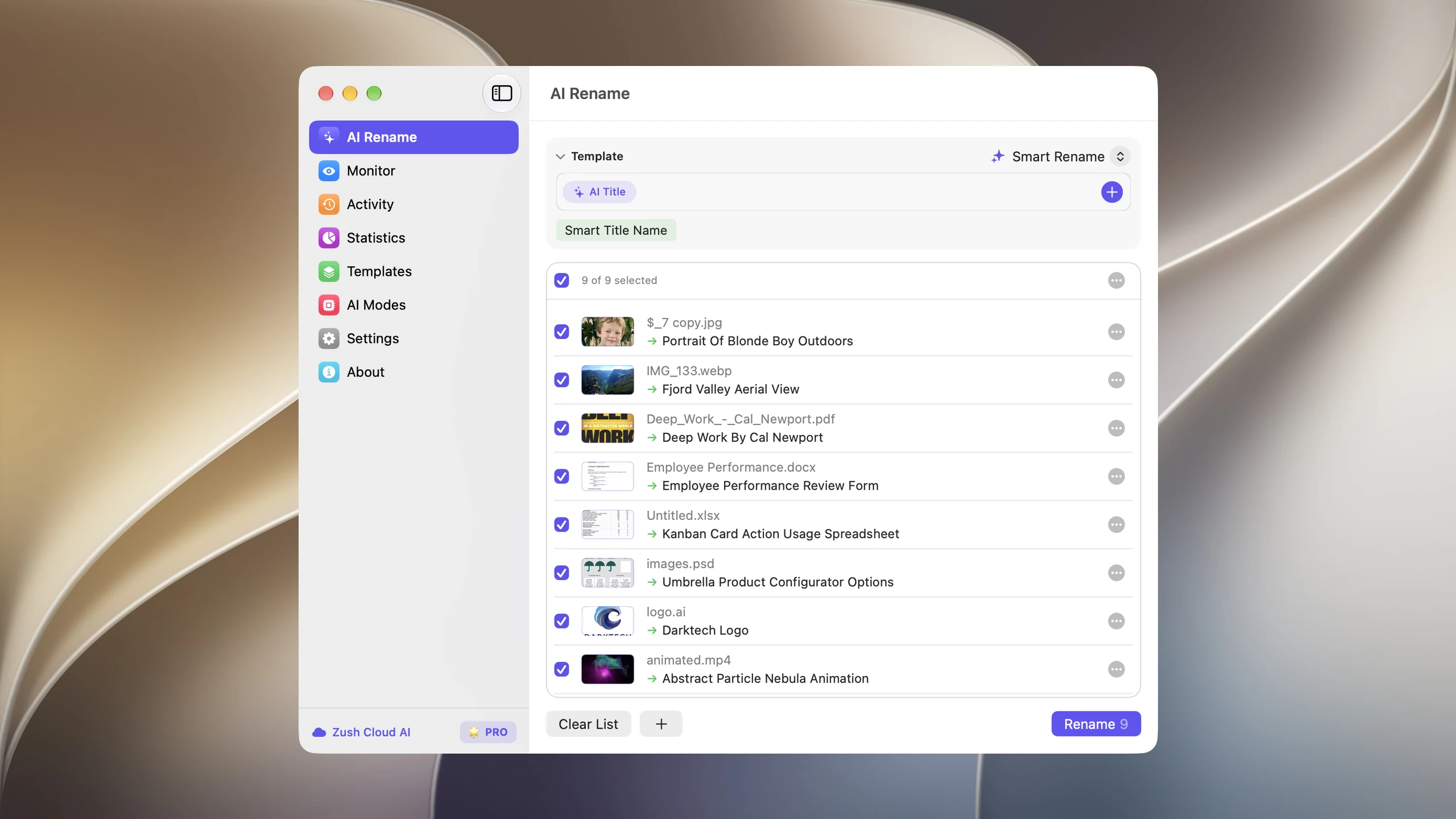
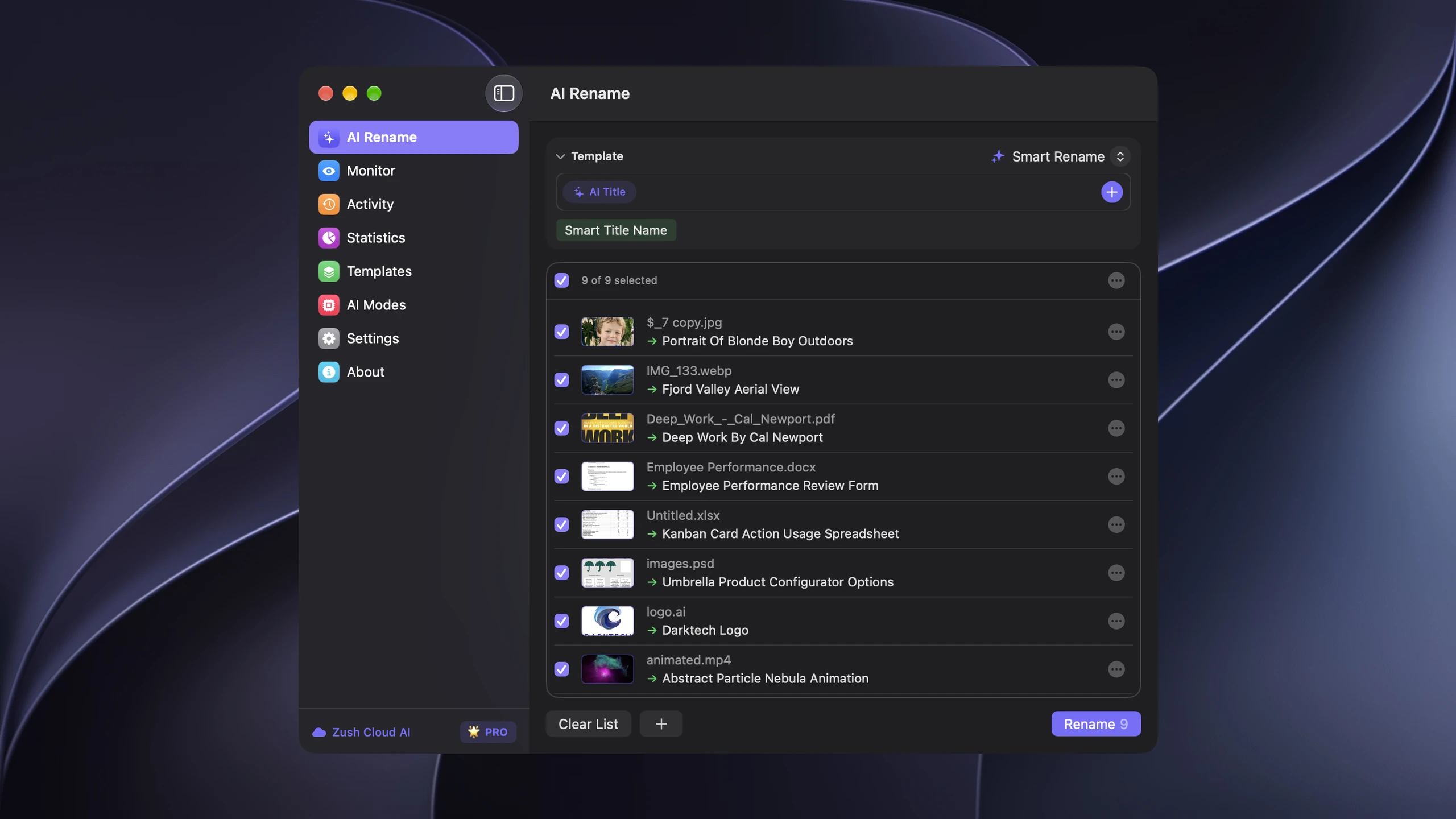
Zush runs on both Mac (macOS 15+) and Windows (10/11) and offers two PRO plans: $10/month or $48 one-time, both with unlimited PRO renames. Its strongest advantage is naming control: built-in Templates for common jobs, 145+ Naming Blocks, Custom AI Blocks, prompts, formatting, localization, Finder tags, Spotlight metadata, and per-folder Template assignments. Rename History keeps the original and new name, folder, and timestamp and can revert an applied batch. Version 3.0 also supports 100+ formats across images, RAW, design, documents, video, and audio.
Both products offer local-model paths, so local AI is useful for privacy but does not decide this comparison.
Folder grouping versus conditional actions
Zush offers AI folder sorting (beta) using Auto or plain-language Folder rules, such as “Group invoices by company and receipts by month.” It proposes groups from content while a Template controls the filenames. NameQuick also has Quick Organize for an approved folder plan, plus conditional Rules to move files, adjust dates, and archive them, with Finder tags and colors on Mac. Content-based grouping is not exclusive to Zush; compare the filename controls and the conditional actions your workflow needs.
Choose a Destination folder, or keep the source folder as the root. Enable Reuse existing folders to prefer suitable folders already there; Zush can create a new one when nothing fits. In a manual batch, review both the suggested names and folders before applying. To rename in place, leave sorting off and keep the original destination.
Save the sorting settings in a Template and assign it to Monitor for new files directly inside the watched folder. Changing the Template does not automatically reorganize files already processed. Separately, Zush on Mac and Windows supports nested folder rules and sorting after renaming without another rename credit. See the folder sorting guide for this distinction and the monitoring scope.
NameQuick
NameQuick publishes Windows and Mac downloads with two purchase paths. Managed is $12/$29/$59/$99 per month for 500/2,000/5,000/10,000 suggestions, with no device limit. Self-Managed is $69 once for one computer, lifetime updates, and your own key or model. Its Windows FAQ confirms Managed, BYOK, Ollama, and LM Studio; MLX and Finder tags/comments are Mac-only. The Windows installer is x64, with ARM PCs using Windows 11 emulation.
NameQuick publicly lists OpenAI, OpenRouter, Claude, Gemini, Ollama, LM Studio, and MLX for its self-managed workflow. Its privacy statements, provider availability, and Windows feature support are vendor-published claims and should be checked against the current build before purchase.
Its published workflow includes Watch Folders, connected inboxes, Undo & Recovery, Rules, Quick Organize, and a local content-search index. These are substantive document-workflow features. Its 30+ format claim still does not establish support for each camera RAW or design format listed by Zush.
Recent releases and meaningful limitations
The changelog lists 3.0.25 on October 11 for Mac and Windows, following improvements to onboarding, watched folders, local-model recovery, and search. The current trial FAQ explains two Managed stages: 30 renames after email verification without a card or time limit, then an optional 70 more with a card over 14 days. Self-Managed offers a separate 30-renames trial using your own key or local model. The additional 70 Managed renames are not card-free.
Managed allowance is consumed when a suggestion is generated, even if you never apply it. Unused monthly renames expire; annual billing supplies the year’s allowance upfront. The Self-Managed license covers one computer, and local photos/scans require a vision-capable model. These are more concrete constraints than treating Windows support as undocumented.
Pricing reality
License-cost scenarios at the checked list prices, assuming prices remain constant. The Managed row uses monthly billing and at most 500 suggestions each month; 5,000 files in a year does not by itself guarantee that a monthly allowance fits. One-time rows exclude provider charges, hardware, and any future paid upgrades. These are calculations, not a measured total cost or a cheapest-plan ranking:
| Path | Year 1 | 3 years | 5 years |
|---|---|---|---|
| Zush Pro One-Time | $48 | $48 | $48 |
| Zush BYOK with optional API cost | $48 + optional API | $48 + optional API | $48 + optional API |
| NameQuick Self-Managed (BYOK/local) | $69 + API/local setup | $69 + API/local setup | $69 + API/local setup |
| NameQuick Managed (entry tier) | From $144/year at $12/mo | From $432 | From $720 |
For BYOK-heavy paths, Zush has the lower published one-time entry price. Zush’s $48 One-Time plan includes the PRO desktop workflow on Mac and Windows, while NameQuick’s Self-Managed path is $69 for one device plus any provider cost.
For Managed users, the number that matters is the meter, not the headline. $12/mo buys the 500-renames-per-month tier; heavier volume moves you up through the 2,000, 5,000, and 10,000 tiers. If your renaming is spiky — a 4,000-file photo import one month, nothing the next — a metered plan prices the peak, while an unmetered one-time plan does not.
If you are choosing by mixed-file coverage and an unmetered paid plan, Zush has the clearer documented fit. It publishes support for 100+ formats and keeps managed cloud, BYOK, Offline AI, monitoring, preview, and undo in the same Mac and Windows workflow.
Format support
RAW photos: Zush yes, NameQuick unclear
Zush publishes a complete RAW format list (CR2, CR3, NEF, ARW, DNG, ORF, RAF, RW2, PEF, SRW, SR2). NameQuick lists “30+ file formats” on their site but does not enumerate camera RAW formats specifically. If you shoot RAW, Zush is the safer pick.
Office docs and OCR: both cover the common case
NameQuick advertises OCR for scanned docs and EXIF extraction for photos. Zush supports PDF, DOCX, XLSX, PPT, PPTX, TXT, MD, JSON, EML, CSV, DOC, plus iWork files such as Pages, Numbers, and Keynote. Both handle the everyday office formats.
Audio / video / archives
NameQuick mentions audio, video, and archives as part of its 30+ formats. Zush 3.0 supports common video files, subtitle sidecars, design files, iWork documents, and audio files including MP3, M4A, WAV, FLAC, OGG, WebM, and MPGA. NameQuick is still broader if ZIP/archive renaming is central to your workflow.
AI provider menu
NameQuick publicly lists seven AI backends: OpenAI, OpenRouter, Claude, Gemini, Ollama, LM Studio, and MLX. Zush offers four processing routes: managed Zush Cloud AI, BYOK with Gemini, OpenRouter, OpenAI, or Claude, LM Studio and Ollama.
The big differentiators:
- OpenRouter — supported by both products; access alone does not differentiate them.
- Included cloud AI and optional BYOK — Zush provides both on the same FREE or PRO plan, with a shared 50-renames free allowance and unlimited PRO renames. External API usage is still billed separately.
- MLX — only on NameQuick, useful if Apple Silicon–optimized local inference is a hard requirement.
Pick by use case
Pick Zush if:
- You want the most configurable AI naming workflow in this comparison
- You want ready-made Templates that can be adapted for batches and monitored folders
- You want Rename History with original/new names, folder, timestamp, and batch revert
- You want one documented desktop workflow across Mac and Windows
- You shoot RAW photos and want explicit format support
- You rename design assets, iWork files, audio, videos, and documents in the same folders
- You want managed cloud and BYOK available within the same Zush plan
- You want BYOK available on the same FREE or PRO plan
Consider NameQuick if:
- You need MLX and have verified support on your platform
- You want conditional moves, tags, or archives in the same vendor workflow
- You handle archive files that need renaming
- EU data routing matters for your compliance story
Migration tip
If you are comparing an existing setup with Zush, copy five representative files into a test folder and run the free Zush workflow first. Check the proposed names, format coverage, and undo history before changing any monitored folder. If you already use a supported Gemini, OpenRouter, OpenAI, or Claude key, you can reuse it in Zush BYOK.
For a wider view of metered and unmetered plans, see how much AI file renaming costs across nine tools.
FAQ
When is Zush a good alternative to NameQuick?
Zush fits mixed-file Mac and Windows workflows that need explicit RAW and design-format support, reusable filename Templates, granular Naming Blocks, preview, and batch recovery through Rename History. PRO includes managed cloud AI without a monthly rename quota. NameQuick adds MLX on supported Macs and conditional document actions; Zush does not offer every NameQuick workflow.
Can I try NameQuick without a credit card?
Yes. NameQuick Managed starts with 30 renames after email verification, without a card or time limit. Its optional additional 70-renames trial requires a card and lasts 14 days. Self-Managed separately offers 30 renames using your key or local model. Zush provides 50 free renames shared across its AI modes, with no card required.
Can Zush sort files into folders as well as rename them?
Yes. Its optional AI folder sorting is in beta on Mac and Windows. Both platforms support nested folder rules and sorting already renamed files without another rename credit. Review the plan before applying it. Monitor can process new arrivals, but changing its Template does not automatically reorganize earlier files. Leave sorting off and keep the original destination for naming only.
Does NameQuick run on Windows?
Yes. Its Windows FAQ documents Managed, BYOK, Ollama, and LM Studio. MLX, Finder tags, and Finder comments are Mac-only. The installer is x64 and Windows 11 ARM uses emulation. Zush also documents Mac and Windows desktop workflows; compare the platform-specific actions you actually need.
Is BYOK free in both tools?
In Zush, BYOK is available on every plan — no separate BYOK purchase. In NameQuick, the public Self-Managed plan is $69 one-time, after which you bring your own API key or local model.
Does Zush support all NameQuick AI providers?
No. Zush supports managed cloud, BYOK with Gemini, OpenRouter, OpenAI, and Claude, plus two local routes: LM Studio and Ollama. NameQuick publicly lists OpenAI, OpenRouter, Claude, Gemini, Ollama, LM Studio, and MLX. NameQuick remains broader only where MLX is a hard requirement.
Does NameQuick support RAW photos?
NameQuick’s public format list says “30+ formats” without enumerating RAW camera variants. Zush explicitly lists 11 RAW formats. Photographers who rely on RAW are safer with Zush.
Which has better naming control?
Zush publishes a granular catalog of 145+ Naming Blocks, Custom AI Blocks, formatting, localization, metadata, and per-folder Templates. NameQuick documents presets, prompts, conditional Rules, Quick Organize, and Mac Finder actions. Zush is the documented fit for composing exact fields; NameQuick has additional document-search and conditional-action workflows. Neither claim establishes measured naming accuracy.
Verdict
Both tools have BYOK, local-model options, folder monitoring, undo, and content-aware naming. Those are parity features. The decision splits clearly:
- For the most configurable naming workflow, ready-made Templates, 145+ Naming Blocks, Custom AI Blocks, full Rename History, broad 100+ format coverage, and unmetered paid renames: Zush at $10/month or $48 one-time.
- If you require NameQuick-specific providers or routing rules, verify those features in the current build for your operating system before deciding.
For most mixed-file Mac and Windows workflows, start with Zush FREE and test 50 renames before paying for either approach.
For the broader market view, see AI renamer market comparison and Mac AI renamer comparison.


