Zush vs Renamer.ai (2026): One-Time vs Subscription

Jump to section
Quick answer: Zush suits mixed Mac and Windows folders that need reusable filename conventions, RAW/design/media support, and unmetered paid renames. Renamer.ai v5 now offers Cloud, Local, BYOK, reusable folder structures, and richer previews. Local AI and folder organization are shared capabilities; the practical differences are documented formats, naming controls, cloud allowances, and the one-time purchase option.
Last verified: October 5, 2026. Written by the maker of Zush. This is a comparison of published capabilities, not an independent performance or network test.
Sources: Zush documentation, Renamer.ai pricing and format FAQ, and Renamer.ai v5.0.0 changelog, September 25, 2026. Older Renamer.ai FAQ text describes server processing without separating the newer modes; the v5 release notes explicitly document Local and BYOK. Check the selected mode before processing sensitive files.
If you are searching “Zush vs Renamer.ai”, you are usually deciding between two paid AI file renamers that both run on Mac and Windows. The answer depends mostly on three things: how you prefer to pay, what file types land in your folders, and whether OCR-driven document renaming is your core use case.
TL;DR comparison
| Dimension | Zush | Renamer.ai |
|---|---|---|
| Pricing | $10/month or $48 one-time | $9.95–$99.95/month |
| Metering | None on paid PRO | Published cloud tiers: 200 / 1,000 / 5,000 files per month; Local/BYOK entitlement limits are not clearly separated in public pricing |
| Free tier | 50 renames to start | 25 files/month |
| 5-year cost (one-time path) | $48 total | $597–$5,997 |
| Platforms | Mac + Windows desktop | Desktop (Mac/Win) + Web |
| Image/design formats | 41 images + 4 design formats (RAW, HEIC, AVIF, Sketch, Figma, AI, PSD) | 30+ formats including EPS/SVG/AI vectors; no RAW, PSD, Sketch, or Figma |
| Document formats | 40 document/PDF formats, including iWork | 30+ docs/images/vectors/email; OCR/document-first |
| Video formats | 16 common formats | Not a core advertised workflow |
| OCR | Yes | Yes (advertised core) |
| Folder monitoring | Yes | Yes (Magic Folders) |
| Undo / rollback | Yes (full history) | Yes |
| Naming control | Ready-made Templates, 145+ Naming Blocks, Custom AI Blocks, formatting, localization, metadata; optional AI folder sorting (beta) | Synced naming templates, Template Gallery, reusable nested folder structures |
| BYOK | Available on every plan | OpenAI or Gemini in v5 |
| Languages | 60+ | 20+ |
| Local AI | LM Studio and Ollama on Mac and Windows | Downloadable on-device models in v5; hardware compatibility checks |
| Main limitation | Desktop-only | Cloud file allowances; no camera RAW/Sketch/Figma/PSD in the published format list; Local/BYOK plan terms need confirmation |
Zush
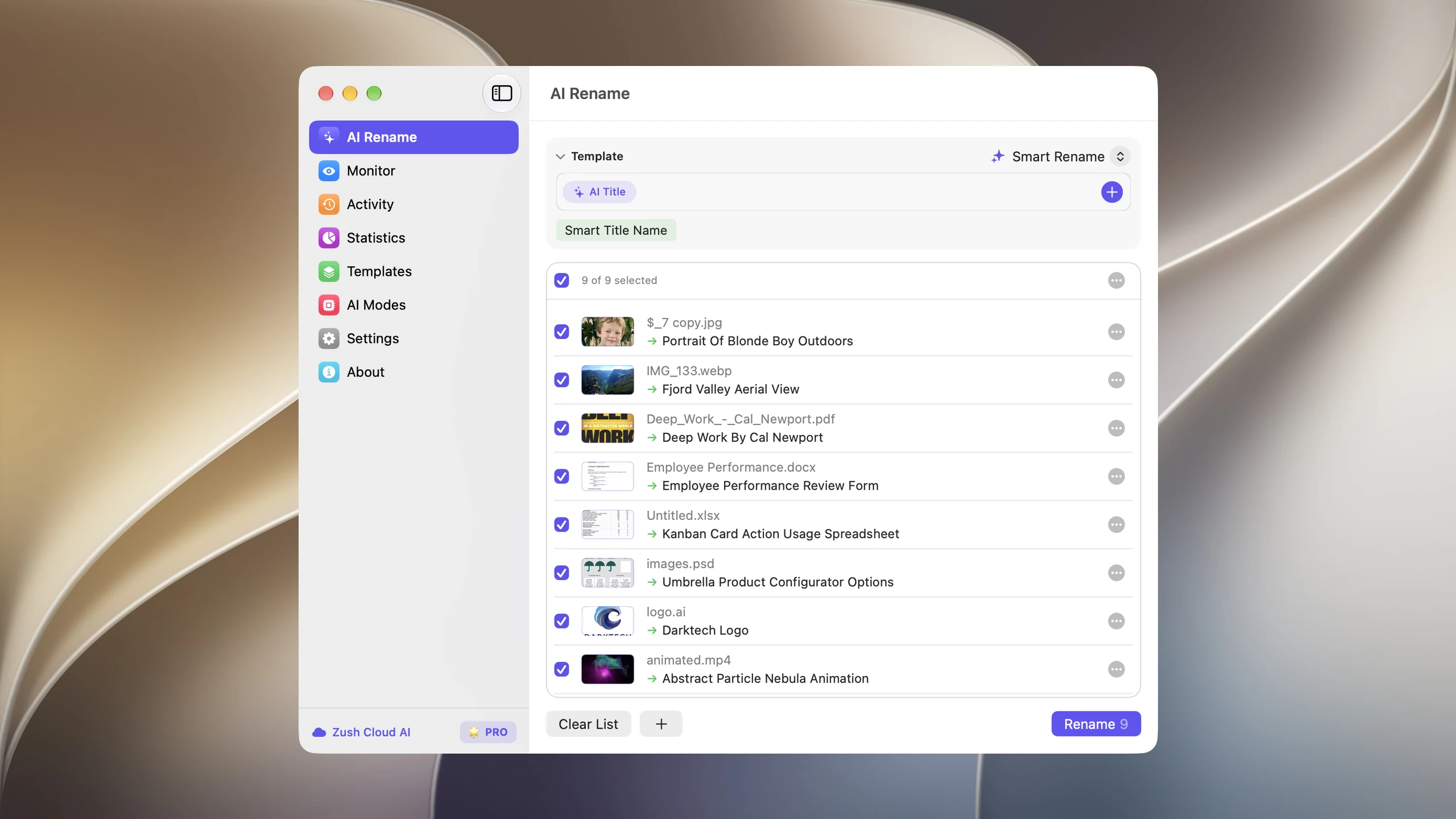
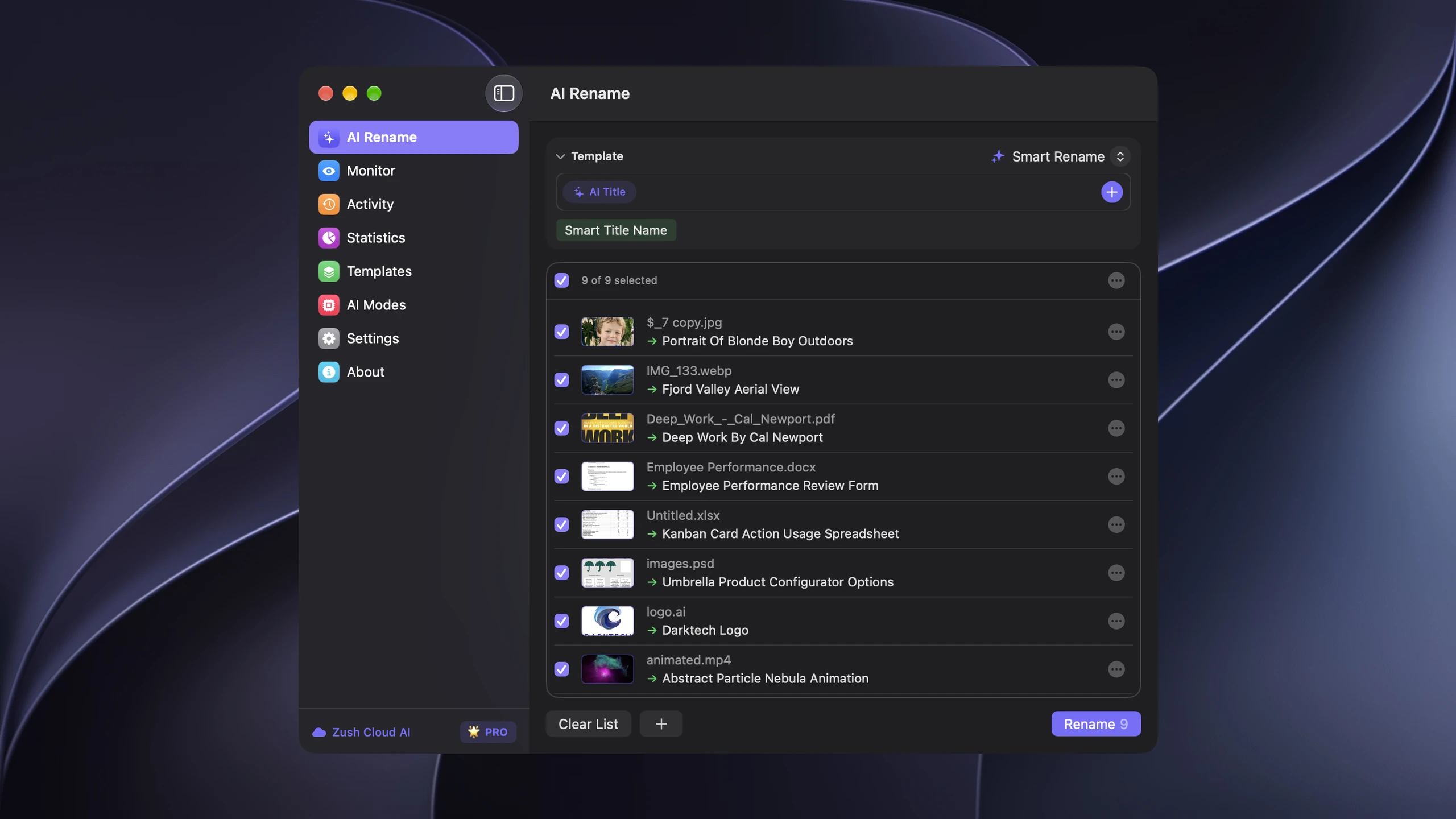
Zush’s strongest advantage is naming control. Ready-made Templates cover recurring jobs, while 145+ Naming Blocks and Custom AI Blocks define exactly which fields appear. Formatting, localization, tags, metadata, and per-folder Template assignment keep the convention consistent. Rename History stores original and new names, folder, and timestamp and can revert an applied batch. Version 3.0 also supports 100+ image, RAW, design, document, video, and audio formats.
Pricing has two PRO options: $10/month for flexibility or $48 one-time for lifetime access. FREE includes 50 renames shared across Zush Cloud AI, BYOK, LM Studio, and Ollama; both PRO options remove that limit. BYOK supports Gemini, OpenRouter, OpenAI, and Claude, while both local routes work on Mac and Windows.
AI folder sorting in Zush
Zush also sorts files into folders with AI (beta). Choose Auto grouping or write Folder rules, for example “Group invoices by supplier and videos by topic.” This works alongside filename Templates and Naming Blocks: naming fields set the convention, while folder instructions decide the groups. It is part of Zush’s desktop workflow, not a browser workflow.
Choose a Destination folder, or keep the source folder as the root. Enable Reuse existing folders to prefer suitable folders already there; Zush can create a new one when nothing fits. In a manual batch, review both the suggested names and folders before applying. To rename in place, leave sorting off and keep the original destination.
Save the sorting settings in a Template and assign it to Monitor for new files directly inside the watched folder. This does not reorganize files already processed. Test the Template in a manual batch first. See the folder sorting guide for the setup and monitoring scope.
Renamer.ai
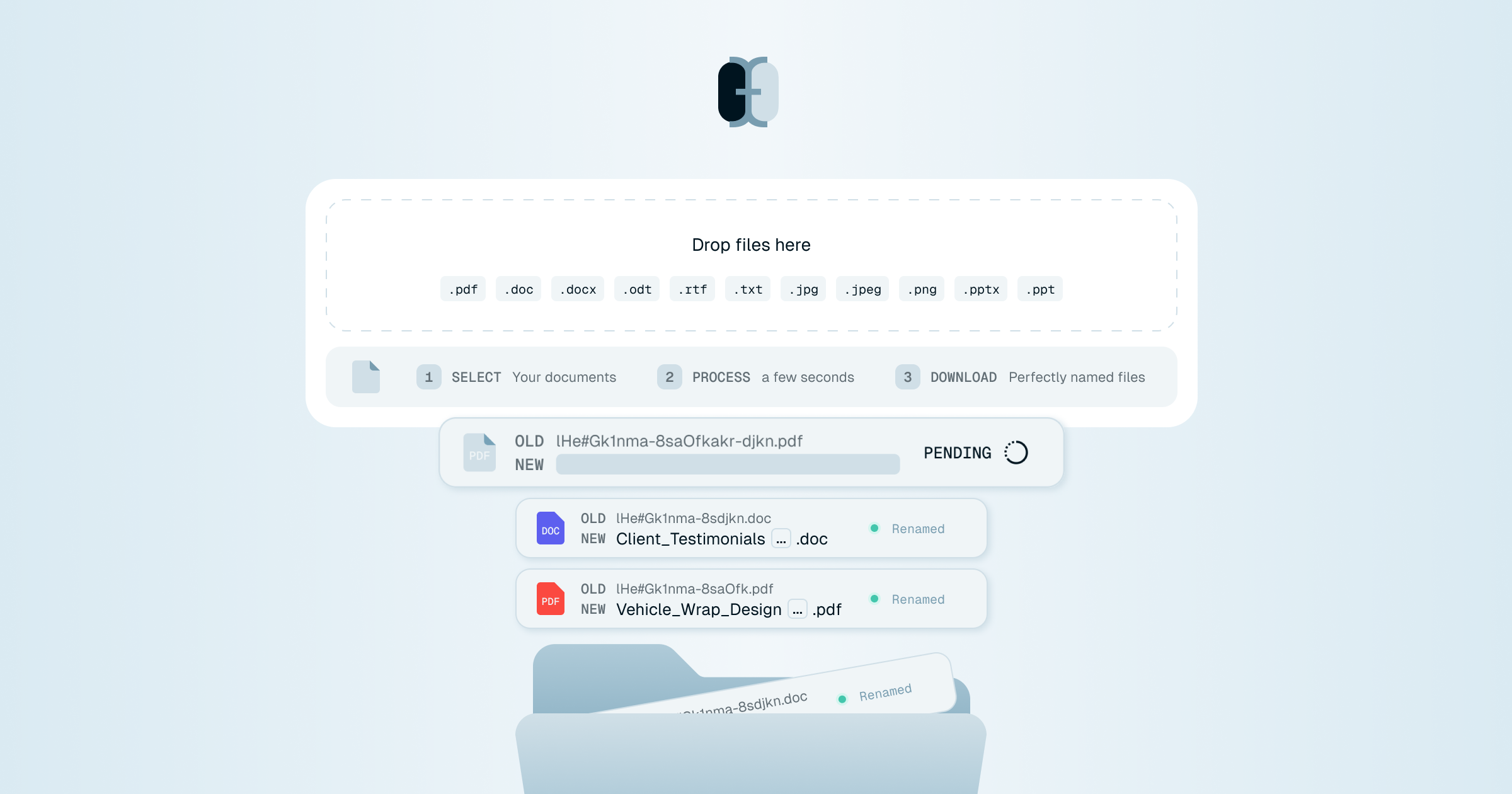
Renamer.ai is a desktop and web tool focused on document-heavy workflows. It lists 30+ formats, including PDFs, Office files, common photos, vectors, and email. Its v5 release adds downloadable local models, OpenAI/Gemini BYOK, account-synced templates, a Template Gallery, sample-file tests, reusable nested folder structures, and destination previews. Camera RAW, Sketch, Figma, and PSD are still absent from its published format list; that is a documentation boundary, not proof that every unlisted file fails.
Pricing is monthly subscription with four tiers: free Starter (25 files/month), Pro $9.95/mo (200 files), Power User $29.95/mo (1,000 files), and Ultimate $99.95/mo (5,000 files). Annual billing gives a 15% discount per their site.
Pricing reality over 5 years
For a user who needs an ongoing paid tier, the pricing gap between one-time and subscription pricing compounds:
| Model | Year 1 | 3 years | 5 years |
|---|---|---|---|
| Zush Pro One-Time | $48 | $48 | $48 |
| Zush BYOK with optional API cost | $48 + optional API | $48 + optional API | $48 + optional API |
| Renamer.ai Pro ($9.95/mo) | $119 | $358 | $597 |
| Renamer.ai Power ($29.95/mo) | $359 | $1,078 | $1,797 |
| Renamer.ai Ultimate ($99.95/mo) | $1,199 | $3,597 | $5,997 |
Even on Renamer.ai’s cheapest paid tier at $9.95/mo, the 5-year cost is $597 — more than 12× the one-time Zush price. On the Ultimate tier, it is more than 120× over 5 years.
Caveat: these are arithmetic subscription scenarios, not measured costs for equivalent workloads. They assume uninterrupted monthly billing at unchanged prices, exclude taxes, annual discounts and API charges, and apply to the published cloud tiers. Zush’s free allowance is 50 renames and Renamer.ai’s is 25 files/month; neither covers a few hundred files immediately. Do not extrapolate the cloud meter to Renamer.ai Local/BYOK without confirming the license terms.
Format support
Mixed-file folders are where format coverage starts to matter:
Camera RAW is documented in Zush; HEIC is shared
Zush’s public format list includes 11 RAW variants: CR2, CR3 (Canon), NEF (Nikon), ARW (Sony), DNG (Adobe), ORF (Olympus), RAF (Fujifilm), RW2 (Panasonic), PEF (Pentax), SRW (Samsung), SR2 (Sony). Renamer.ai’s public format list does not include any camera RAW formats.
If you are a photographer or anyone with IMG_4382.HEIC or _DSC0019.NEF files in your library, Zush is the documented fit. Renamer.ai’s omission of RAW from its public format list is a concrete limitation.
Vector, design, and office formats
On the document/vector side, Renamer.ai lists EPS, SVG, and AI. Zush 3.0 now supports SVG plus design-first formats: Sketch, Figma .fig, Adobe Illustrator .ai, and Photoshop .psd. Zush also adds iWork files, audio formats, video formats, and subtitle sidecars. If EPS specifically matters, Renamer.ai has that listed publicly; if your folders mix design handoff assets with screen recordings, iWork docs, audio, and RAW photos, Zush is broader.
Both handle the common case
For JPG, PNG, HEIC, PDF, DOCX, and XLSX, both publish support. Both also offer BYOK, local processing, monitoring, and undo. Compare specialist file coverage and naming controls rather than treating those shared features as exclusive to Zush.
Features that differ
BYOK
Zush includes BYOK on every plan: connect Gemini, OpenRouter, OpenAI, or Claude within the 50-rename free allowance, or without the Zush app cap on PRO. Renamer.ai v5 documents OpenAI and Gemini BYOK, key validation, and an optional usage counter. Provider charges are separate in either product; confirm Renamer.ai’s Local/BYOK license entitlements before purchase.
Local AI mode
Zush connects to LM Studio or Ollama on Mac and Windows. Renamer.ai v5 downloads models inside the app and documents processing entirely on the computer, with model quality levels and hardware checks. Neither product’s local-mode quality or speed was independently benchmarked for this article.
Processing depends on the mode. Local inference keeps the analysis on the device according to each vendor; cloud processing uses remote services; BYOK sends the required content to the chosen provider under your account. Renamer.ai’s older generic FAQ still describes server transmission, so it should not be used to claim that all v5 desktop modes upload files.
Web access
Renamer.ai has a web interface in addition to the desktop app — useful if you cannot install software (corporate machine, occasional one-off use). Zush is desktop-only on Mac and Windows.
Language support
Zush states 60+ output languages; Renamer.ai states 20+. If you generate filenames in non-English languages routinely, Zush is broader.
Pick by use case
Pick Zush if:
- You want one-time pricing instead of recurring billing
- You handle RAW photos (CR2/NEF/ARW/DNG/etc.) or HEIC from iPhone
- You work with design assets, iWork files, audio, videos, or mixed project folders
- You want templates and Naming Blocks for repeatable filename structures
- You want BYOK available on every plan
- You want LM Studio or Ollama for on-device work
- You need 60+ language support for non-English filenames
Where Renamer.ai has a different fit:
- You need a web interface in addition to a desktop app
- You need account-synced templates or an in-app downloadable model workflow
- Its published cloud allowance fits your workload, and you have checked support for your specialist formats
Migration tip
If you are leaving Renamer.ai for Zush: download Zush, run a free 5-file demo on a sample folder to verify naming quality on your file types, then choose Monthly or One-Time PRO if it fits. Cancel the Renamer.ai subscription. Your existing renamed files in Renamer.ai stay as-is — they are just files in your filesystem.
If you are leaving Zush for Renamer.ai: less common, but if you need their web interface, sign up for the free 25-files/month Starter tier first to verify it covers your volume before subscribing.
Still comparing options? See all Renamer.ai alternatives side by side, or how AI file renaming pricing compares across nine tools.
FAQ
Can Zush sort files into folders as well as rename them?
Yes. Its optional AI folder sorting is in beta on Mac and Windows. Choose Auto or write Folder rules, select the destination, and review both names and groups in a manual batch. A sorting-enabled Template can also process new files directly inside a monitored folder; it does not reorganize files already processed. Leave sorting off and keep the original destination for naming only.
Is Zush cheaper than Renamer.ai?
Yes by a large margin if you choose Zush One-Time. Zush is $48 one-time or $10/month. Renamer.ai’s cheapest paid tier is $9.95/month ($120/year). Over 5 years, Zush One-Time is more than 12× cheaper than Renamer.ai’s Pro tier and more than 120× cheaper than their Ultimate tier.
Does Renamer.ai support RAW photos like CR2 or NEF?
The format list on Renamer.ai’s public site does not include camera RAW formats. If you shoot RAW, Zush is the safer pick — its image list explicitly covers CR2, CR3, NEF, ARW, DNG, ORF, RAF, RW2, PEF, SRW, SR2, and generic RAW extensions.
Does Renamer.ai keep files local?
Yes in its v5 Local mode, according to the September 25 release notes. Cloud and BYOK have different data paths. Select and verify the mode, model, and license terms rather than relying on older generic desktop-upload FAQ wording.
Can I use my own OpenAI key with Renamer.ai?
Yes. Renamer.ai v5 supports OpenAI and Gemini BYOK. Zush supports Gemini, OpenRouter, OpenAI, and Claude on every plan. Both require a provider account and may incur API charges.
Do both have folder monitoring?
Yes. Zush has folder monitoring built into the desktop app. Renamer.ai calls theirs “Magic Folders” and includes it in paid tiers.
Can I undo renames in either tool?
Yes. Zush keeps a full rename history with one-click revert. Renamer.ai supports undo as well.
Verdict
Both tools work for everyday AI file renaming and both have folder monitoring + undo. The decision splits cleanly:
- If you want to pay once and never think about it again, handle RAW/HEIC/design/iWork/audio/video, and run BYOK without a separate BYOK purchase: Zush at $48 one-time.
- Renamer.ai adds web access, account-synced templates, and downloadable local models. Its cloud plans remain metered, and the public format list does not establish camera RAW or design-project coverage.
For the broader market view of the tools we track, see AI renamer market comparison.


